Live indoor cycling,
with actual people.
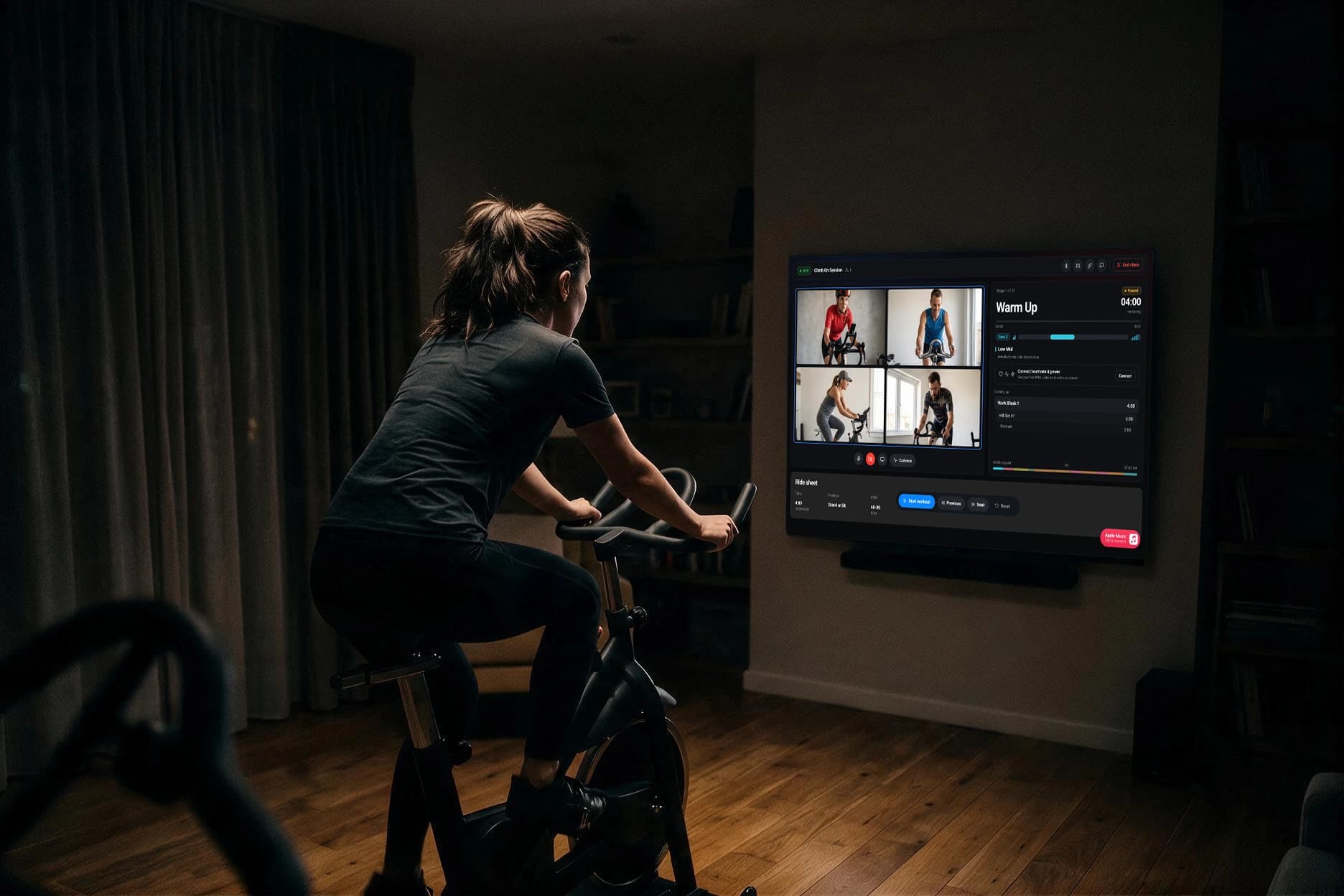
Join a ride that’s on now, or start one and invite whoever you want. Use the bike and the screen you already have.
Free while we’re small. Nothing to install to join from a browser.
Two ways in.
Join a ride
See who's riding and drop in. Some rides are coached with a full plan. Some are just people riding at the same time.
Start a ride
Open a room and send the link. Your friends, your club, or the people you coach. Nobody needs the app to join from a browser.
You can see the whole room.
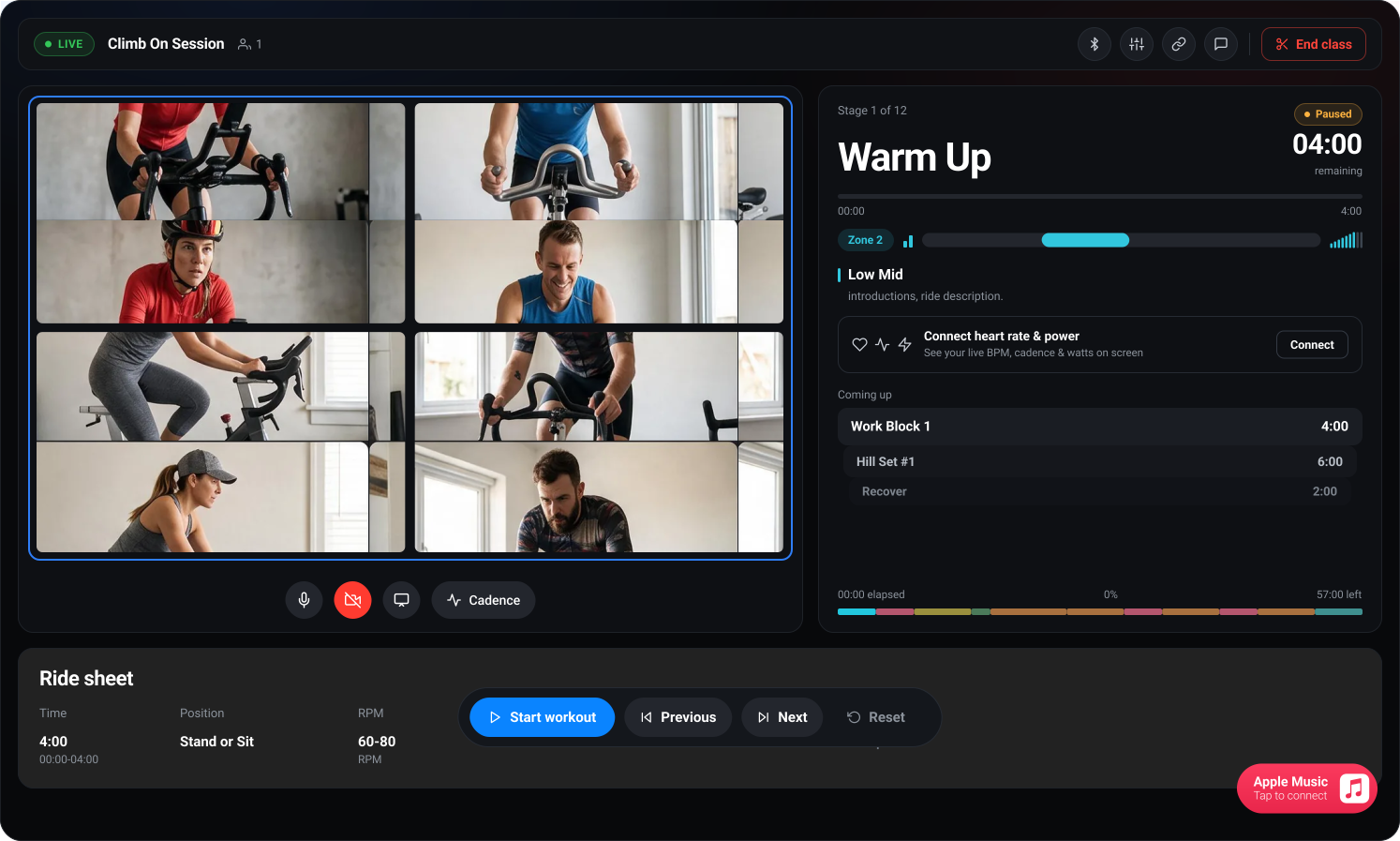
Faces, heart rate and cadence, live. Whoever's leading can see who's working and who isn't.
Anyone can hide their own heart rate or cadence from the class, at any time.
Everyone's heart rate, live on screen.
From an Apple Watch or a chest strap. Cadence too — from a sensor, or from your phone's own camera.
Zones built from your own maximum
Not a chart that assumes you're average. Record a beat above the max we're using and the app says so.
Cadence anyone can call
“Ninety to a hundred” is a number you can hit. Heart rate lags a hard effort by up to a minute; cadence doesn't.
Hide yours whenever you want
Off the class screen, still in your own history.
Right now
Zone 4 · Threshold
164–177 bpm — for you, not for the room
96EST
Cadence, from your camera
Showing both
Tap either one to hide it
No new gear.
Any exercise bike. Any phone, laptop or iPad. An Apple Watch if you happen to own one.
Now
Seated climb
Heavy. 70–80 rpm.
Phone or iPad
The whole ride — video, chat, the plan, and your numbers.
Threshold 45
Apple Watch
Heart rate from your wrist, with nothing to set up.
Any browser
Chrome or Edge on a computer, Chrome on Android. Nothing to install.
Coaching? Plan the whole ride.
Write it as blocks — warm-up, climb, sprint, recover — with a target for each. Everyone's screen follows you.
Ride plan
7 blocks · 45:00
- 4:00
Warm Up
60–80 RPM · Seated + standing
- 4:00
Work Block 1
70–80 RPM · Seated + standing
- 6:00
Hill Set #1
Now70–80 RPM · Seated + standing
- 2:00
Recover
70–90 RPM · Seated
- 8:00
Hill Set #2
60–70 RPM · Standing
- 6:00
Sprints
100+ RPM · Seated
- 5:00
Cool Down
60–70 RPM · Seated
Save it, run it weekly
Templates and recurring series, so next week takes a minute.
One tap moves the room
Advance a block and every screen follows — phone, tablet, browser.

Apple Music soundtrack
Pick an album; it plays on each rider's own subscription.
Co-hosts and controls
Hand over the deck, mute or remove someone, take reports.
Yesterday
Threshold 45
171
peak bpm
148
Average heart rate
91
Average cadence
45m
Time riding
2
Personal bests
Every ride is saved.
Time in each zone, average and peak heart rate, cadence, and anything you beat.
Counts toward your Apple rings
Written to Apple Health as a real workout.
Fitness and recovery
Resting heart rate, HRV and cardio fitness, so the app knows when you're ready for a hard one.
Only rides we actually recorded
No padding the total with classes you sat out.
It fits what you already use.
No separate ecosystem to move into, and no account you have to invent.
Apple Health
Every ride saves as a real workout, so it closes your rings and sits with the rest of your training.
Apple Music
Pick an album for the ride and it plays for everyone, on their own subscription.
Apple Watch
Heart rate straight from your wrist. Start the ride there and leave your phone alone.
Calendar sync
Add a ride to your calendar and get the reminder where you already look.
A link, and a browser
Send the link to whoever you want in the room. They join from Chrome or Edge — no app, nothing to install.
Bluetooth sensors
Chest straps, cadence sensors and power meters, using the standards they all speak.
Works with your gear
The full list, with what we’ve tested

 MageneFavero
 Stages



 MERACH

Your data stays yours.
Video stays on your phone
Camera cadence is worked out on-device. Nothing is uploaded or stored.
Hide any number
Keep your heart rate or cadence off the class screen and still keep your own.
Block and report
Anyone, any time. Whoever's leading is told, and they disappear from your room.
We say what we've tested
Every row on our devices page reads “not tested yet”, because it hasn't been.
Common questions.
What if nobody else is riding right now?
Then start one — it takes about a minute, and you can send the link to anyone. We’re small and honest about it: some evenings there won’t be a ride already on, which is exactly why starting one is as prominent as joining one.
Do I need a special bike?
No. Any exercise bike, including a gym one with no electronics at all. If you want cadence, a $23 clip-on sensor fits any bike ever made — see supported devices.
What if I don't have an Apple Watch?
You can still ride, and you’ll still be on the grid. A Bluetooth chest strap is about $35, or your phone’s camera can estimate cadence with nothing to buy at all.
Can I ride with just one friend?
Yes, and plenty of rides here are exactly that. Start a ride, send them the link, and it stays private — invite-and-link only, never listed anywhere.
Can I pair a sensor in Safari on my iPhone?
No, and no other browser on iPhone or iPad can either — Apple requires every iOS browser to use its engine, and that engine has never implemented Web Bluetooth. Use the app on a phone, or Chrome or Edge on a computer.
Who can see my heart rate?
The people in the ride with you, and only if you leave it on. You can hide your heart rate or your cadence for any ride and still keep your own record of it.
Ride with someone tonight.
Free while we’re small.
The web app works today. The iPhone app is coming to the App Store.